
Changing the consult practitioner
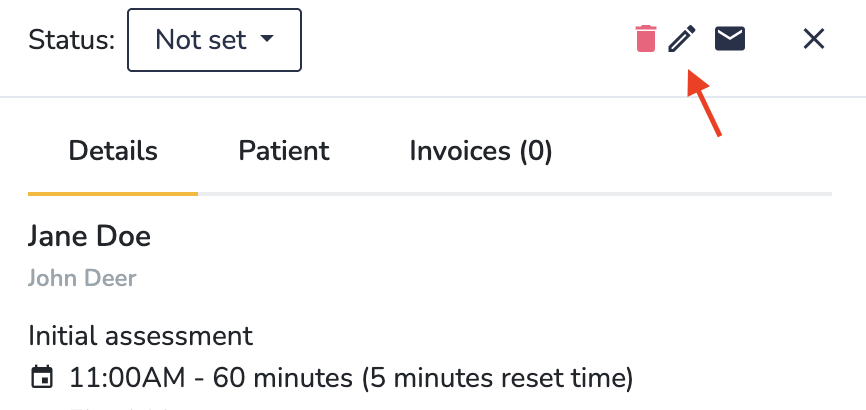
If you would like to change the practitioner of an already scheduled consults, you can do so from the consult page by clicking on the Edit consult details button, or from the calendar by clicking on the "Edit" icon:
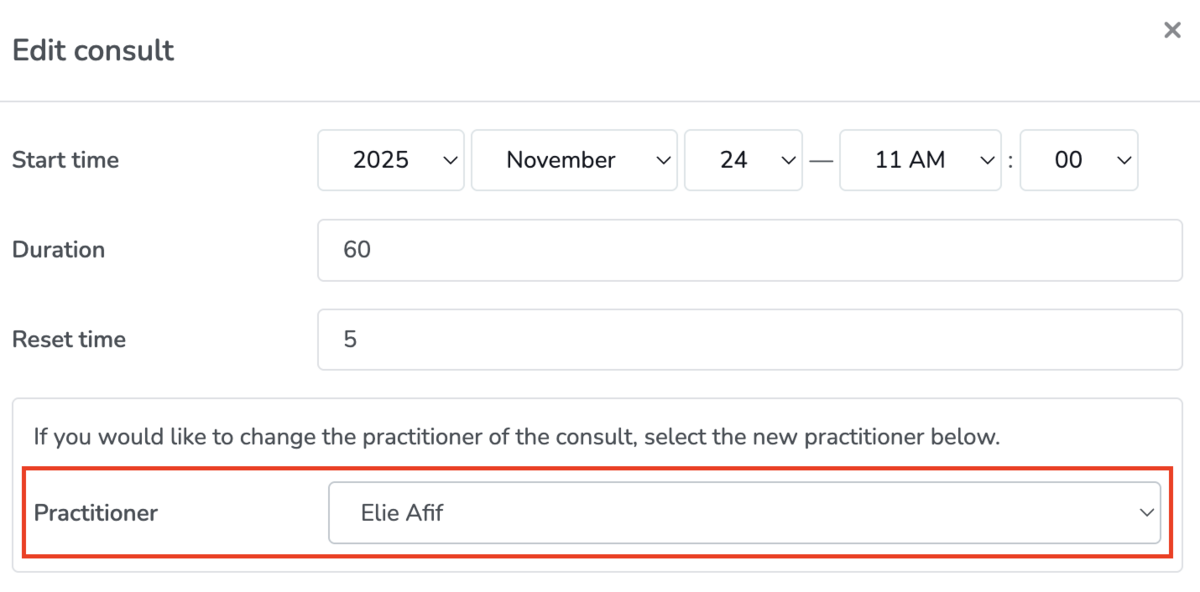
In the popup-form, you can then use the Practitioner drop down to select the new practitioner.
You will only be able to change the practitioner if:
- The consult is upcoming and has not been completed;
- The consult is not part of a recurring set of consults
- There are no chart entries associated with this consult
- The consult is not part of a restricted clinical case (i.e. a clinical case where you do not allow other practitioners in your clinic to book into this case)
- The user making the change has permission to manage both the original practitioner's and the new practitioner's schedule (more info below)
Who has permission to change the consult practitioner
If you are signed in as a clinic admin, you will be able to change the consult practitioner if the clinic has more than one active practitioner.
If you are signed in as a practitioner, you will only be able to change the consult practitioner if you have permission to manage the schedule of both the original and the new practitioner.